$19.78
$32.44
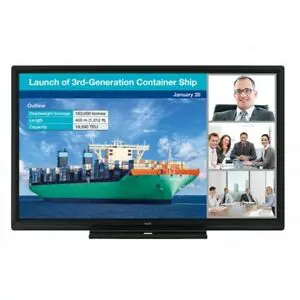
OPTOMA 3652RK INTERACTIVE DISPLAY Creative Touch 3 Series 65″ Interactive Flat Panel Display Robust collaboration, extensive connectivity options and a value-focused design. Combining the latest technology and packed with everything a classroom or business requires, the Creative Touch 3 Series delivers all the functionalities and processing power needed to create, educate and collaborate. Easily access the front-facing ports for HDMI and USB connectivity. For wireless connectivity, Creative Cast Pro™ allows up to four users to share contents at the same time from their Windows, iOS, macOS, Chrome or Android device. In order to let teachers can now work on their lesson plans from home and instantly bring them to any classroom, our Creative Board includes Google Classroom with single sign-on ( SSO ) design, teachers can quickly sync with Google Classroom bringing the benefits of paperless sharing and digital collaboration to the classroom. Furthermore, the easy-to-use IF PDs also make lessons more fun with built-in collaboration tools such as Vote, where teachers are able to collect valuable feedback instantly. Remotely manage your IFPDs projectors, LED displays and more. Set alerts, schedule tasks or settings and broadcast announcements. Optoma Management Suite (OMS)™ solution is perfect for easy management and control from any location for all your compatible Optoma devices. Creative Board – Cloud Whiteboard Create, Connect, and Collaborate Designed for hybrid learning – Creative Board provides smart collaboration and connectivity for any classroom. Just sync with your cloud accounts to plan your lessons from anywhere, at any time. As Creative Board is a cloud-based platform, you can access your lesson materials from any Optoma Creative Touch Series IFPD in your school! Creative sharing is easy with a ready-to-use whiteboard featuring built-in annotation tools to facilitate collaboration and an infinity canvas for limitless creativity. The feature-packed Creative Board brings tools such as rulers, 3D shapes, and even robust import options right at your fingertips. Our Floating Toolbar Makes Learning Smoother Change tools at a touch Easily move and position the toolbar anywhere on the infinity canvas. Instantly select tools, such as an eraser, ruler and highlighter, change colours or import images to enhance any lesson. Connect Across Platforms Connect any device. Wirelessly broadcast, share or stream your content to the big screen with CreativeCast Pro™. Screen mirror high-quality images, video, documents and audio from your smartphone, laptop or PC – all with a touch of a button. Bringing your own device has never been easier. Ultra HD 4K Resolution With over eight million pixels, Ultra HD 4K resolution brings four times more detail than Full HD, to deliver sharper, life-like images and richer colours – allowing you to sit closer to the screen and enjoy a more immersive experience. Infinity Canvas Never Run Out of Space During A Lesson With the ability to draw anywhere, insert images and shapes, all of which can be saved, printed or shared with student devices, the infinity canvas will not limit your creativity and expands your workspace! Google Classroom & Single-sign-on (SSO) support. Teachers can easily create and import lesson materials anywhere. With Single-sign-on (SSO), you can quickly sync with Google Classroom bringing the benefits of paperless sharing and digital collaboration to the classroom. Teachers can now work on their lesson plans from home, and instantly bring them to any classroom. AirShare Voting Tools Bring enthusiasm and engagement to meetings and classrooms, and collect valuable feedback instantly with the voter tool. CONNECT ANYTIME, ANYWHERE. Peace of Mind. Teachers can have peace of mind knowing their IT managers can support them remotely using Optoma’s Management Suite (OMS) solution. IT managers can monitor and diagnose issues with any display so teachers aren’t left in the dark. Teachers can also set alerts and broadcast emergency announcements. Dual App Mode This allows you to view two apps on your device at the same time. Use dual app mode to view content while you scan related Office documents – turning your IFPD into the ultimate multi-tasking device. TUV Certified Low Blue Light Display The built-in low blue light mode helps reduce eyestrain and tiredness by minimising the blue light output from the display. Optoma File Manager Optoma file manager allows users to manage files and folders. Users can also access cloud drives and browse, create, rename, copy, move and delete files. Screen recording Optoma Creative Touch Series comes with video recording functionality that allows teachers to record their lectures or businesses to record their meetings for preparation or review purposes. IFP USB-C Connectivity A USB-C cable connection makes teaching and team collaboration easier. Connect your PC or laptop to the IFP via a USB-C cable to quickly transfer data and video/audio signals, and charge up to 65W at the same time! Picture in Picture Mode (PIP) Within the IFP’s window, an external hardware device is shown via PIP (Picture in Picture) mode as it is connected. The window of a connected device source is also allowed to be repositioned and resized. Accessories DC450 DC556 IFPD WiFi module EP-AC1602 Optoma Management Suite Cloud Wall Mount OWMFP01 prevnext Gallery Specification Display Back light Direct type LED Size (diagonal) 65″ Resolution 3840 x 2160 (UHD 4K) Brightness 400 Contrast ratio 5,000:1 Viewing angle 178° Response time 8ms Life 50,000 hours Speaker count 2 Watts per speaker 20W Glass 4 mm Tempered Glass with Anti Glare Anti Fingerprint Ambient light sensor Yes Touch resolution 32768 x 32768 Physical spec Dimensions (W x D x H) 1640 x 1036 x 207 Wall-hanging screw spec M8*25mm VESA holes 600×400 In the box Power Cord Remote Control Quick Start Guide USB Cable HDMI Cable Writing Pen x 2 Connections Inputs 3 x HDMI 2.0, 1 x VGA, 1 x Audio 3.5mm, 1 x S/PDIF, 3 x USB 2.0, 2 x USB 3.0, 1 x USB-C, 1 x RJ45, 1 x DisplayPort, 1 x Mic 3.5mm Outputs 1 x HDMI 2.0, 1 x Audio 3.5mm, 1 x RJ45 Control 2 x USB Touchport, 1 x RS232 Bezel size (top) 17.70mm Bezel size (bottom) 45.70mm Bezel size (left) 17.70mm Bezel size (right) 17.70mm Operating conditions 20% ~ 93% RH Operating temperature (min) -10°C Operating temperature (max) 45°C Net weight 39 kg Gross weight 50 kg Touch system System Windows10/Windows11/Linux/Mac (1 Touch point only)/Android/Chrome Touch accuracy <1.00mm Touch point Up to 20 points touch Touch tool Finger, Passive infrared pen Pen/finger detection Yes Power Power supply AC 100-240V, 50/60 Hz Power consumption (standby) 0.5W Power consumption (max) 300W Operation System System version Android 11.0 CPU Quad-core GPU Dual-core RAM 4GB Storage 32GB OSD / display languages 17 languages: Arabic, Czech, Danish, Dutch, English, French, German, Italian, Polish, Portuguese, Romanian, Russian, Chinese (simplified), Spanish, Swedish, Chinese (traditional), Turkish Download Catalog PDF Click here>
Interactive Flat Panel Displays (Ifpd)