$24.72
$37.08
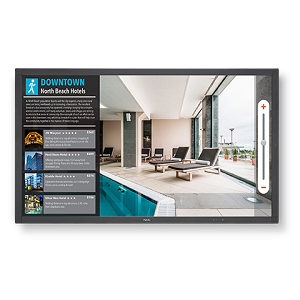
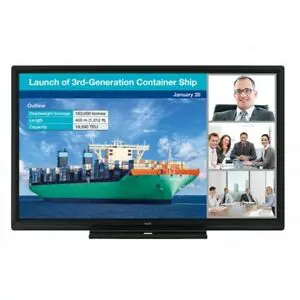
Optoma 3651RK 65″ Interactive Touch Panel Display Robust collaboration, extensive connectivity options and a value-focused design. Combining the latest technology and packed with everything a classroom or business requires, the Creative Touch 3 Series delivers all the functionalities and processing power needed to create, educate and collaborate. Easily access the front-facing ports for HDMI and USB connectivity. For wireless connectivity, Optoma’s TapCast Pro allows up to four users to share content at the same time from their Windows, iOS, macOS, Chrome or Android device. The easy-to-use IFPDs also make lessons more fun with built-in collaboration tools such as Vote, where teachers are able to collect valuable feedback instantly. Equipped with an OPS slot, and easy to download OTA updates, the touchscreen display is future-proofed should your requirements change in the ever-changing world of technology. (OPS sold separately). Ultra HD 4K resolution Optoma 3651RK 65″ Interactive Touch Panel Display With over eight million pixels, Ultra HD 4K resolution brings four times more detail than Full HD, to deliver sharper, life-like images and richer colours – allowing you to sit closer to the screen and enjoy a more immersive experience. Optoma TeamShare: whiteboard and annotation Optoma 3651RK 65″ Interactive Touch Panel Display has Creative sharing is easy with a ready-to-use whiteboard featuring built-in annotation tools that encourage collaboration. TapCast collaboration tool What is TapCast? Wirelessly display and share content on a big screen without any additional hardware using the TapCast app. Easily mirror your Android, iOS, Windows, macOS or Chrome device at the touch of a button. You can even wirelessly cast documents, images or videos stored on your mobile device or laptop. The app also acts as a wireless mouse and keyboard allowing you to control your device. Dual app mode This allows you to view two apps on your device at the same time. Use dual app mode to view content while you scan related Office documents – turning your IFPD into the ultimate multi-tasking device. Optoma file manager Optoma file manager allows users to manage files and folders. Users can also access cloud drives and browse, create, rename, copy, move and delete files. OfficeSuite OfficeSuite lets you easily view, edit, and create Word, Excel, and PowerPoint documents, and perform advanced PDF operations. TUV Certified Low blue light display The built-in low blue light mode helps reduce eyestrain and tiredness by minimising the blue light output from the display. Screen recording Optoma Creative Touch 3 Series comes with video recording functionality that allows teachers to record their lectures or businesses to record their meetings for preparation or review purposes. Ambient light sensor The built-in light sensor detects the amount of ambient lighting surrounding the panel and adjusts the display accordingly in order to guarantee an optimal picture quality and the best viewing experience possible. Disclaimer for unauthorised apps on OP series Android-based interactive displays: For system security, Optoma interactive flat panel displays run on a customised Android operating system. Additionally Optoma interactive flat panel displays do not support Google Play Services. Optoma has streamlined the Android operating system so only modules related to display features remain. The customised Android operating system may not be compatible with all third-party Android apps. Third-party Android apps can vary in quality and some even contain malicious codes, which could compromise system security and functionality and may invalidate your product warranty. Optoma makes no representations regarding the quality, security or suitability of any third-party apps and their compatibility with the Optoma interactive flat panel. Optoma shall have no responsibility or liability with respect to any damage, faults, loss in functionality or security issues arising as a direct or indirect result of the installation of third-party apps on the interactive flat panel. Optoma support in rectifying any issue which may result from the installation of third-party apps will be chargeable and may be limited. Specification Display Back light Direct type LED Size (diagonal) 65″ Resolution 3840×2160 Brightness 370 Contrast ratio 1,200:1 Contrast ratio (dynamic) 4,000:1 Viewing angle 178° Response time 8ms Life 50,000 hours Display colours 1,070 Speaker count 2 Watts per speaker 15W Surface hardness 7H Glass Anti Glare Anti Finger Print Ambient light sensor Yes Air gap 4.00mm Physical spec Dimensions (W x D x H) mm 1546 x 943 x 95 Wall-hanging screw spec M8*25mm VESA holes 600×400 In the box European Standard Power Cord American Standard Power Cord British Standard Power Cord USB Cable HDMI Cable Writing Pen x2 Remote Control Battery Pen holder/ Pen tray QSG Connections Inputs 3 x HDMI 2.0, 1 x VGA, 1 x DisplayPort, 1 x Audio 3.5mm, 4 x USB2, 1 x USB 3.0, 1 x RJ45 Outputs 1 x HDMI 2.0, 1 x S/PDIF, 1 x Audio 3.5mm, 1 x RJ45 Control 5 x USB-A (Interactive), 1 x RS232 Bezel size (top) 27.00mm Bezel size (left) 27.00mm Bezel size (right) 27.00mm Operating conditions 20% ~ 80% RH Operating temperature (max) 40°C Net weight 45 kg Gross weight 57 kg Touch system System Windows10/Windows8/Windows7/Windows XP /Linux/Mac (1 Touch point only)/Android/Chrome Touch accuracy <1.50mm Touch point 20 Touch tool Finger, Passive infrared pen Pen/finger detection Yes Power Power supply 100-240V~ 50/60Hz 3.5A Power consumption (standby) 0.5W Power consumption (max) 220W Power consumption – average (watts) 108.7 Operation System System version Android 8.0 CPU Dual-core A73 and dual-core A53 GPU Mali G51*2 RAM 3GB Storage 16GB Optoma 3651RK 65″ Interactive Display Advanced touch technology Advanced interaction and collaboration Dual App mode Buy-UAE, Oman, Kuwait Click Link for more details
Interactive Flat Panel Displays (Ifpd)